 Bookleap
LIBRARY01 / 05
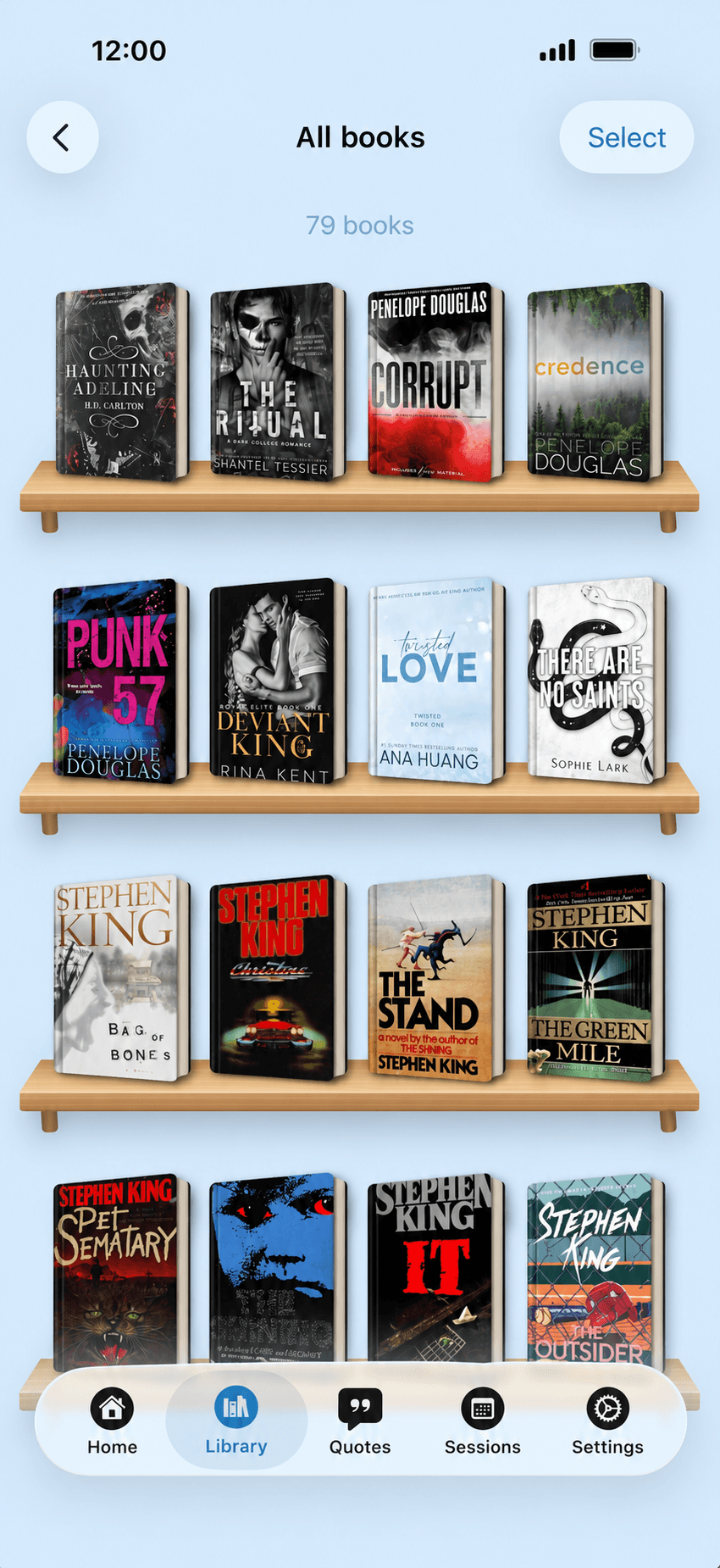
Your whole library. Always in your pocket.
Reading, want to read, finished, paused. Arrange books on your own shelves, search by title or author, and sort them the way you like.
- Custom shelves
- Reading statuses
- Instant search
 Reading tracker for iPhone
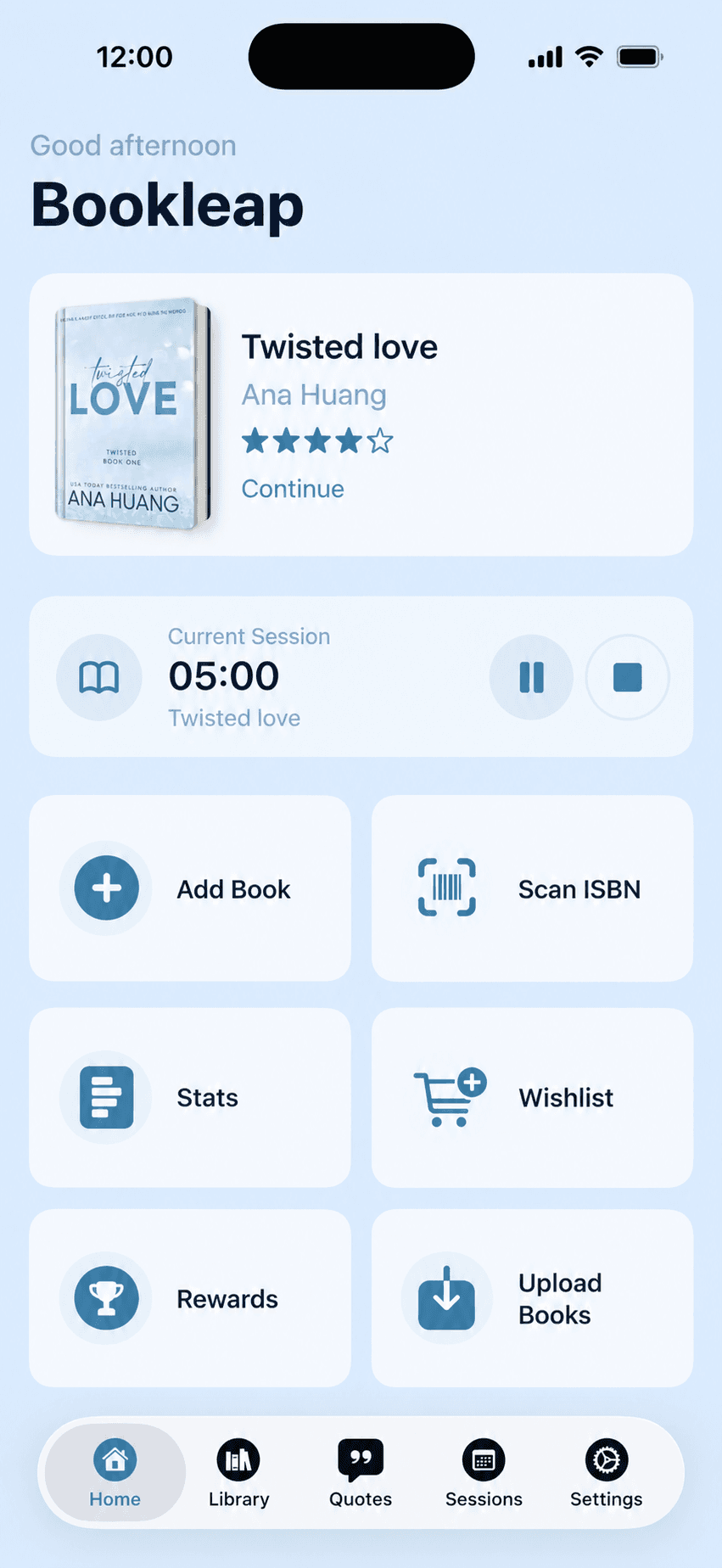
Your library, reading timer, quotes, and goals in one calm app. Small moments with a book add up to stories you’ve truly finished.
YOUR WHOLE READING LIFE, IN ONE PLACE
Fewer scattered lists. More time with the books you love.
Reading, want to read, finished, paused. Arrange books on your own shelves, search by title or author, and sort them the way you like.
Start the timer when you open your book. Bookleap counts minutes and pages, and a Live Activity keeps your progress right on the Lock Screen.
The calendar shows when and what you read. Open any day to see the sessions, pages, and minutes that made up your week.
Books, pages, minutes, favorite genres and formats. Your habits become visible — and that’s what makes you reach for the next book.
Set a monthly or yearly goal, build a reading plan, and see your finish forecast. Streaks gently remind you to come back to your book.
Tap any screen to take a closer look.
THE LITTLE THINGS THAT MATTER
Your current book, yearly goal, and quote of the day — close at hand even when the app is closed.
Point your camera at a barcode and the title, author, and cover fill themselves in.
Add books from EPUB, FB2, and PDF files, metadata included.
Your reading timer on the Lock Screen, no need to reopen the app.
Keep your rhythm day by day. Even ten minutes counts.
Your data lives on your device and syncs once you sign in.
Your library belongs to you. Save a copy whenever you like.
Theme, app language, and the blocks shown on book details.
QUOTES & BOOK NOTES
A line worth returning to. A thought in the margin. Keep what matters next to its book, and find it again by keyword or tag.
Keep a little more than the memory of a good book.
HOW IT WORKS
Scan the ISBN, search online, or import a file. It takes seconds.
One tap starts a session. Paper, ebook, or audio — it all counts.
Statistics, the calendar, and goals show minutes turning into finished books.
FREQUENT QUESTIONS
Didn’t find your answer? Write to us and we’ll help.
Contact usBookleap is a book tracker and reading journal app. Keep your personal library, reading timer, sessions, goals, statistics, quotes, and book notes together.
Bookleap helps you organize and track your reading. It is not a bookstore or ebook reader. Read your paper book, ebook, or audiobook as usual, then save your progress and thoughts here.
Scan the ISBN with your camera, find the book with online search, import an EPUB, FB2, or PDF file, or add it manually.
Download the app, add your first book to your library, and start the reading timer. Log the pages you read and return to your statistics as you go.
Your data is stored on your device. Once you sign in with Apple or Google it syncs with the server, and you can export or import your library in Settings.
Downloading from the App Store is free. Some advanced features are available with a Premium subscription.
The iPhone app is available on the App Store. For Android, leave your email using the early access button below to receive a testing invitation.

YOUR NEXT CHAPTER IS YOURS TO WRITE
Add your first book. Find your own rhythm. Keep the thoughts that stay with you.

Available on the App Store for iPhone. Android is in testing.
Open your iPhone camera and point it at the code.