
A reading timer for every moment with a book
A reading timer measures the time you spend with a book. In Bookleap, each reading session belongs to a specific title: save your time and pages after reading, then use session history to understand your reading rhythm.
By the Bookleap team · Updated
How Bookleap helps you read
Give reading time its own place in your day
Start the timer for your chosen book when you begin reading. You do not have to remember the start time or calculate minutes afterward, so your attention can stay on the text.
A short session on the way home and a long evening with a novel both belong in your history. The timer makes those moments visible even when they do not fit a strict daily schedule.
Connect minutes to the pages you read
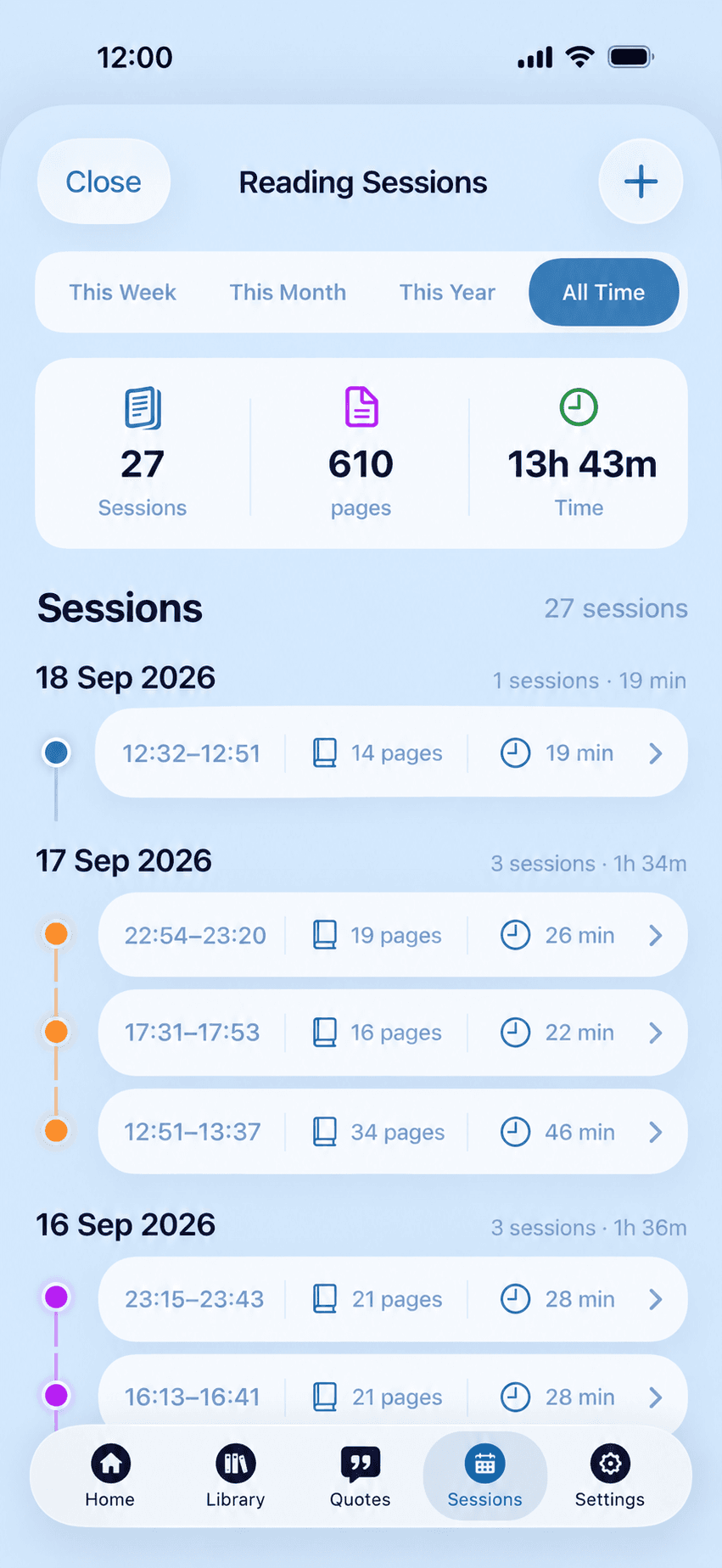
A standalone stopwatch records only duration. In a book tracker, time has context: which book you read and where you stopped. Record your progress after the session so you can find your place next time.
Different books call for different speeds. Dense nonfiction can take longer per page than a familiar novel. Treat that information as an observation about your reading, not a score for how well you read.
Start with the time you actually have
You do not need a spare hour to begin a reading habit. Try a short period that fits comfortably into your day, then look back at your history after a few sessions.
When you switch to another task, pause or finish the timer. Your logged time will better reflect reading itself and make later summaries more useful.
Getting started with the reading timer
Choose your current book
Open the book you are about to read so the session belongs to that title.
Start the timer
Begin timing when you start the text. Pause or finish it when you take a break.
Save the session
Record your pages after reading and revisit session history when you want to review your rhythm.
An everyday example
Have 15 minutes before bed? Start the timer for your current book, read what you can and save your ending page. Even if tomorrow looks different, tonight’s session stays in your history.
Questions and answers
Why use a timer if I already record pages?
Pages show progress through a book; time shows how much attention you gave reading. Together they add context to your session history.
Do I need to read for the same number of minutes every day?
No. The timer records actual sessions, and you choose their length. Short reading sessions can be saved too.
Does the timer measure how well I understood a book?
No. Time and pages describe a session but do not measure comprehension. Use book notes to capture your thoughts about the text.