
A home library app for finding your next book
A home library app is a personal book catalog that keeps titles, authors and covers together. In Bookleap, you can add books through search or by hand, organize them on shelves and keep a reading status for each title.
By the Bookleap team · Updated
How Bookleap helps you read
A book catalog instead of scattered lists
As your collection grows, remembering which books you already own gets harder. A personal catalog keeps the title, author, cover and page count together so the list still makes sense months later.
Add books through online search or create a record yourself when an edition is missing. Check the author and page count against your copy: editions of the same story can differ.
Shelves that fit the way you organize
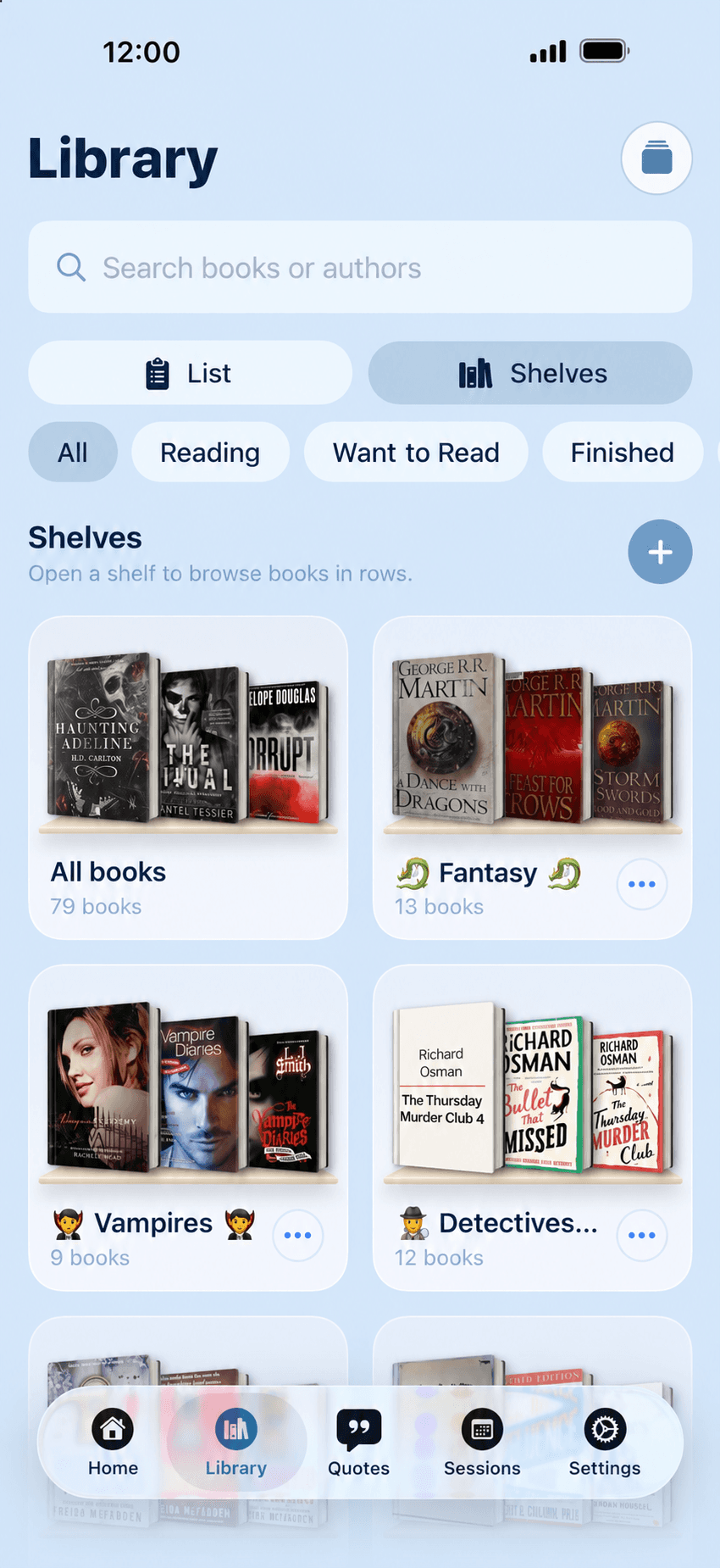
Use book shelves to group your collection in a way that works for you. Keep a book club selection, a particular topic or a collection you want to revisit together.
Reading status answers a different question: whether a book is finished, underway or planned. Grouping and progress complement each other, keeping your personal library useful for both finding books and reading them.
Your own collection and future purchases
Save a book you want to buy in the wishlist. When it joins your collection, add it to your library and start tracking progress.
Bookleap organizes information about books. Adding a catalog entry with a cover does not give you the ebook or a right to download its text. Read your own copy in the format you prefer.
Getting started with the home library
Start with a small selection
Add your current reads or one shelf of your home collection through search or by hand.
Check the edition details
Confirm the title, author, cover and page count so the entry matches your copy.
Organize your collection
Group books on shelves and set their reading statuses. Keep future purchases in the wishlist.
An everyday example
Before visiting a bookshop, look through your library and wishlist. It is easier to remember which books you already have and which you still want to buy without relying only on a familiar cover.
Questions and answers
Can I add a book that search does not find?
Yes. You can create a book record manually in Bookleap and save its basic information.
How is the library different from the wishlist?
The library keeps books in your collection and their progress. The wishlist collects recommendations and helps you plan purchases.
Does the catalog provide the full text of books?
No. A catalog entry contains information about a book. The entry itself does not provide its full text or a right to download it.