
A reading tracker for your personal book history
A reading tracker is an app for keeping track of books you are reading, planning or have finished. Bookleap gives each book its own status and progress, so you can find your place and return to your history of books read.
By the Bookleap team · Updated
How Bookleap helps you read
Current reads and finished books in one place
A list of books read helps you remember titles and authors, but daily reading also needs a place for unfinished stories. Bookleap brings current, planned, paused and finished books into a personal library.
If you read several books at once, keep their progress separate. After a break, you can pick up a story without reconstructing your reading history from scattered notes and photos.
Track pages, not just a finished checkbox
Add the book’s page count and update your current position after reading. The journey from the first page to the last stays visible even when a book takes several weeks.
Reading sessions add context: when you read, how long you spent with a book and which pages you covered. Use that history to understand your own rhythm rather than compete with other readers.
A book history worth revisiting
Finished books stay in your library alongside their notes and quotes. When a friend asks for a recommendation or a book club discussion comes around, return to the book and your own impressions.
Keep future purchases in the separate wishlist. It collects recommendations while your reading tracker stays focused on the books you already have underway.
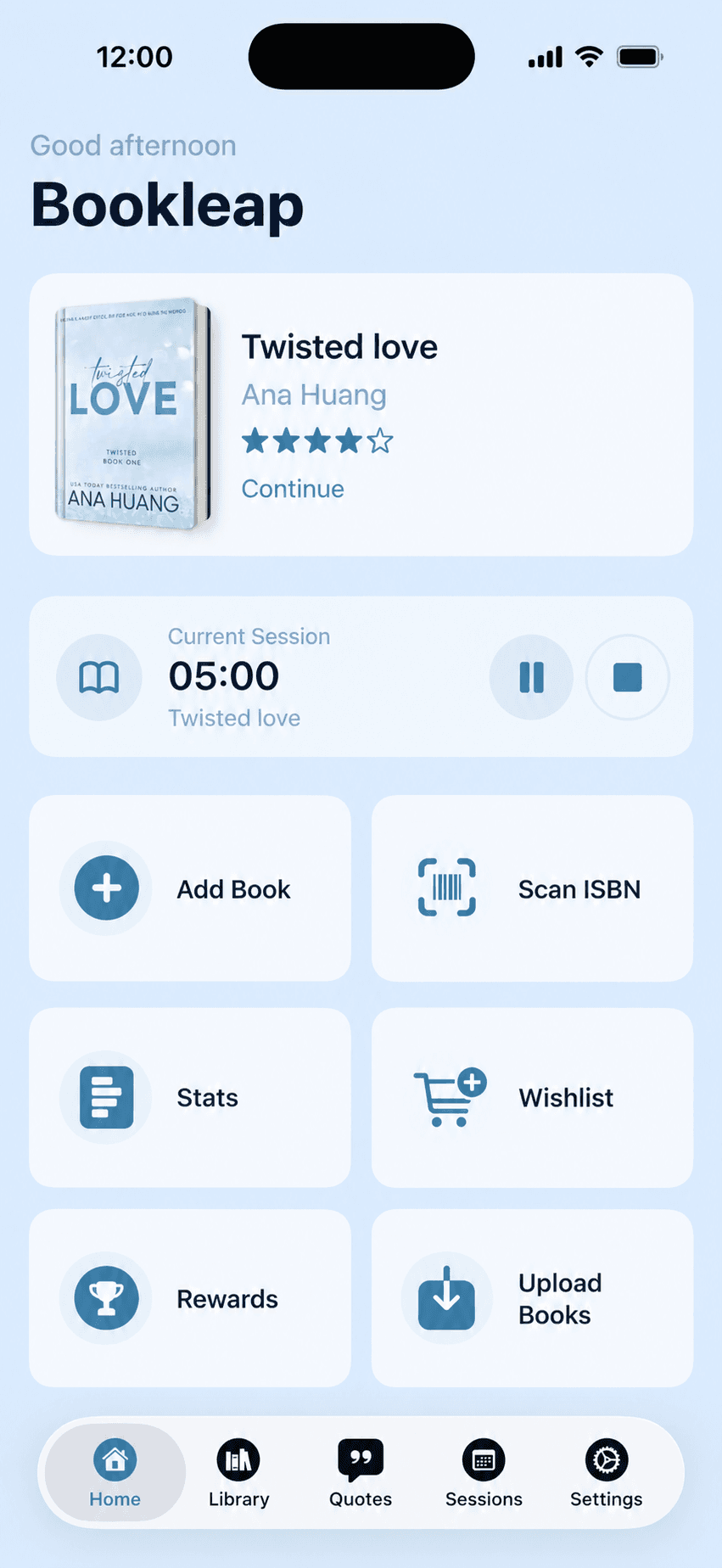
Getting started with the reading tracker
Add a book
Find it through online search or enter its title, author and page count yourself.
Update your progress
Record your current page after reading. Use the reading timer if you also want to log time.
Keep the finished story
When you finish, update the book’s status and add a note about what stayed with you.
An everyday example
Reading a 300-page novel and stopping at page 90? Save that position in the book’s details. Next time you can continue from the same place, and when you finish the book it stays in your list of books read.
Questions and answers
What can I track in Bookleap?
Books and their statuses, page progress, reading sessions, time spent reading, notes and quotes. A separate statistics screen helps you review your reading habits.
Can I track several books at the same time?
Yes. Each book has its own details and progress, so you can keep a novel, a nonfiction book and other current reads separate.
How is a reading tracker different from a reading journal?
A tracker answers ‘what am I reading and where did I stop?’ A journal answers ‘what do I think about it?’ Bookleap connects both to the same book.